Fixing Paper Feed Problems
Paper feed problems can interrupt printing and reduce productivity. These issues are usually caused by paper quality, tray handling, mechanical wear, or environmental factors. Understanding the common causes helps you quickly restore smooth operation.
- Paper Quality: Wrinkled, damp, or low-quality sheets often cause jams or misalignment.
- Tray Overloading: Too many sheets can bunch up and feed unevenly.
- Dust and Residue: Accumulation on rollers or sensors prevents proper gripping.
- Mechanical Wear: Worn pickup rollers or misaligned trays may snag paper.
- Environmental Conditions: High humidity or extreme temperatures affect paper behavior.
- Printer Settings: Incorrect paper size or type settings confuse the feed mechanism.
Step-by-Step Solutions to Fix Paper Feed Issues
Always start by turning off and unplugging the printer. Then follow these steps:
- Inspect the Paper: Look for wrinkles, moisture, or torn sheets. Use fresh, dry paper that matches your printer specifications.
- Adjust the Tray: Set paper guides correctly. Remove, fan, and reload the stack to separate sheets.
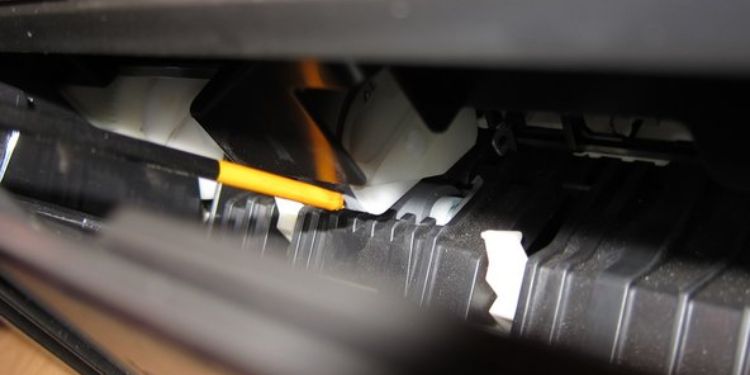
- Clean Components: Wipe rollers, sensors, and paper paths with a soft, dry cloth. For thorough cleaning, use a slightly damp lint-free cloth (avoid harsh chemicals).
- Check for Obstructions: Remove stuck paper or debris from trays and feed paths. Replace worn rollers if needed.
- Update Settings: Verify paper size and type in the printer software or control panel. Reset defaults if unsure.
- Test and Monitor: Run a test print. If problems continue, try a different paper brand or consult the printer manual.
Prevention Strategies
- Store paper in a cool, dry area and avoid overfilling trays.
- Clean rollers regularly, ideally once a month.
- Use recommended paper types and avoid mixing sizes in a tray.
- Keep the printer away from drafts, heat sources, or humidity.
- Apply firmware updates to fix software-related feeding glitches.
By addressing paper feed problems early, you ensure consistent performance and extend your printer's lifespan. Persistent issues may indicate hardware faults that require professional service. Regular maintenance and proper handling help keep your printer running smoothly.